User guide
Study the Bible deeper. In any language.
Bilingual reading, AI commentary, and cloud-synced notes — built for serious study, on iOS, Android, and the web.
Who it's for
Built for three kinds of study.
-
Pastors
Sermon prep with Greek originals and four theological traditions.
-
Seminary students
Cross-reference original languages and classical commentary.
-
Lay study
Deep reading without seminary training. AI guides at your pace.
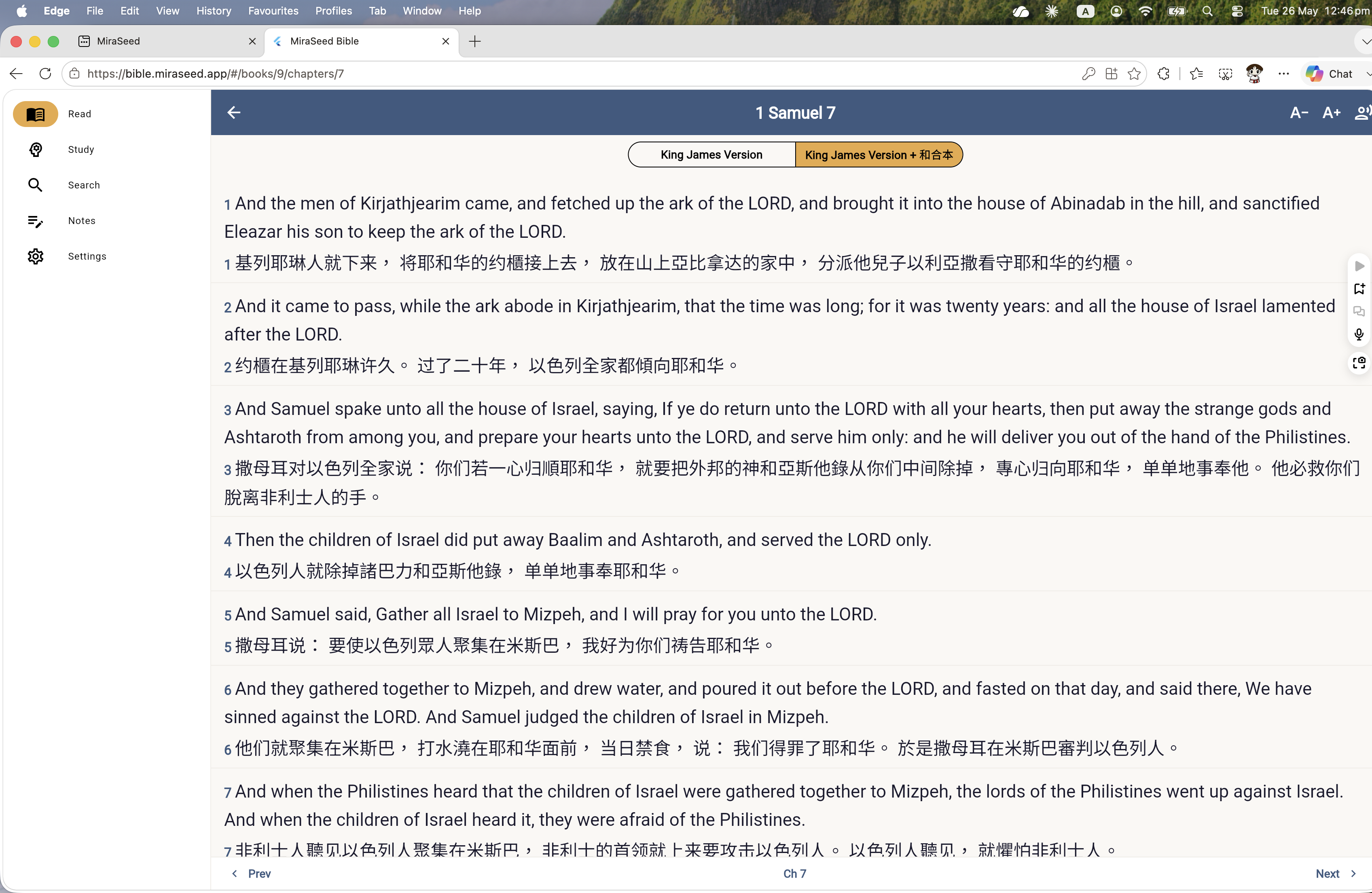
Bilingual reading
Two languages. One verse.
Read English and Chinese side by side.
AI commentary
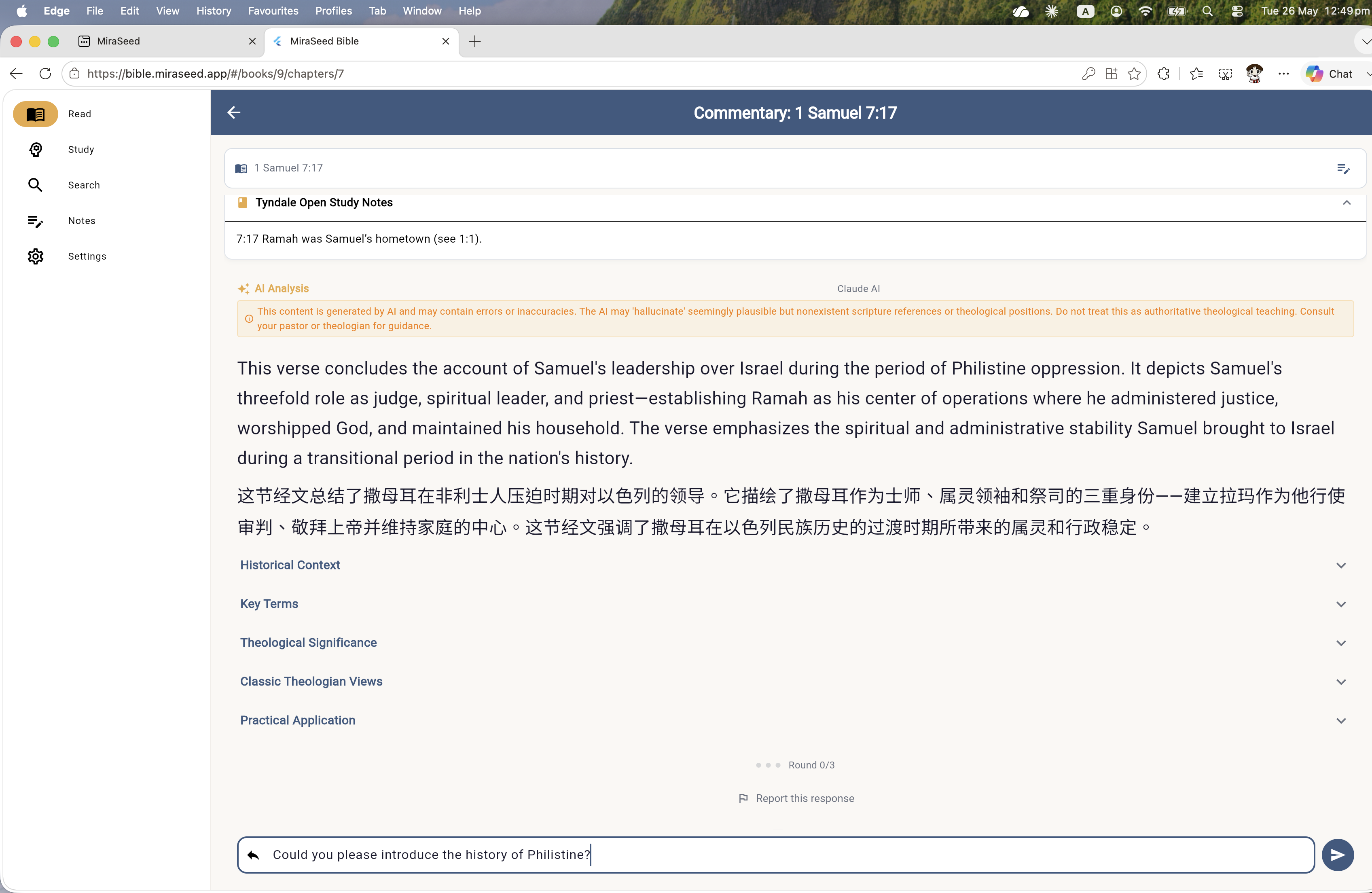
Ask anything. Follow up.
Tap a verse to get commentary across four classical theological traditions.
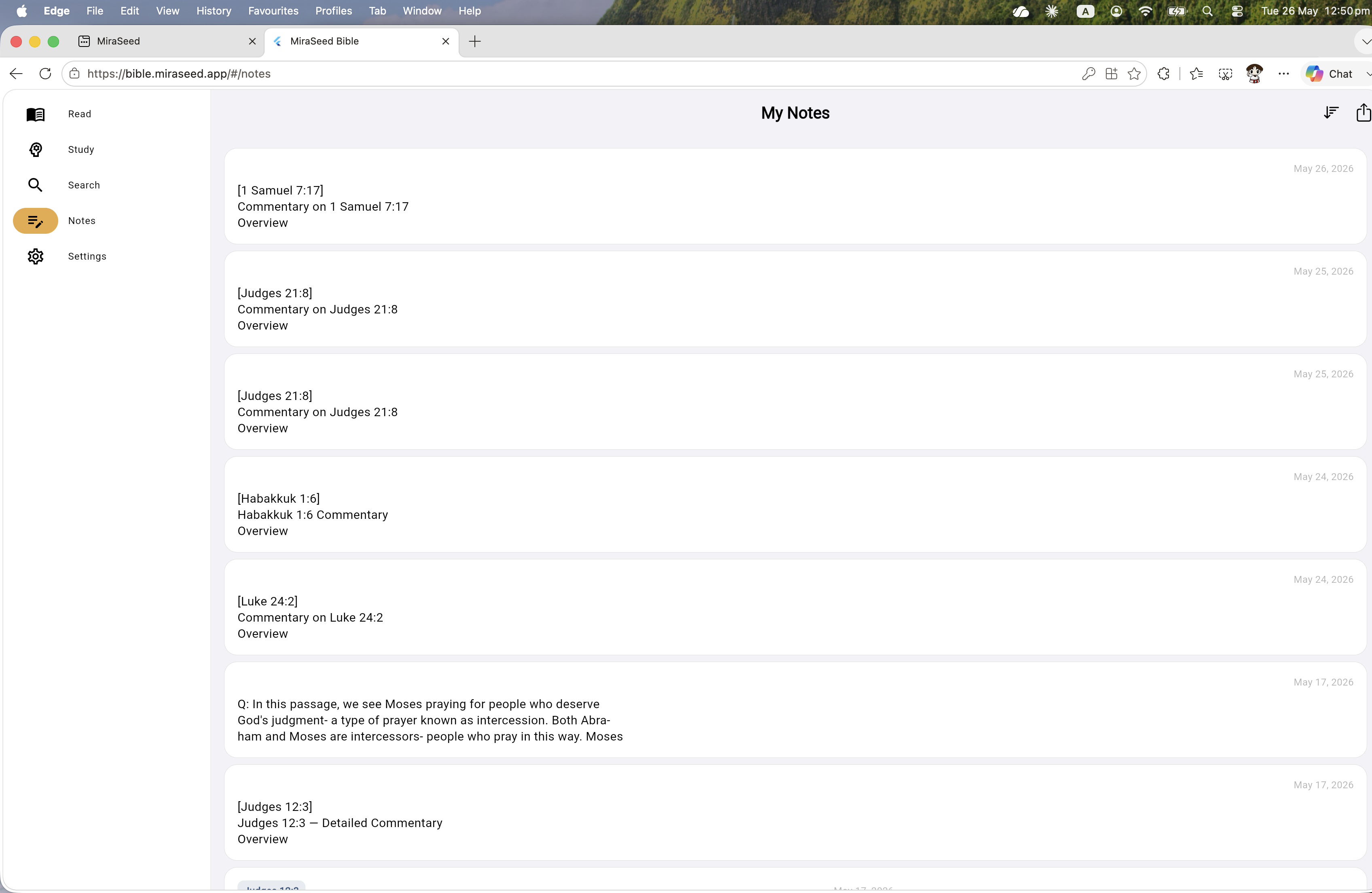
Cloud-synced notes
Your notes. Everywhere.
Long-press any verse to capture a thought, reflection, or prayer.
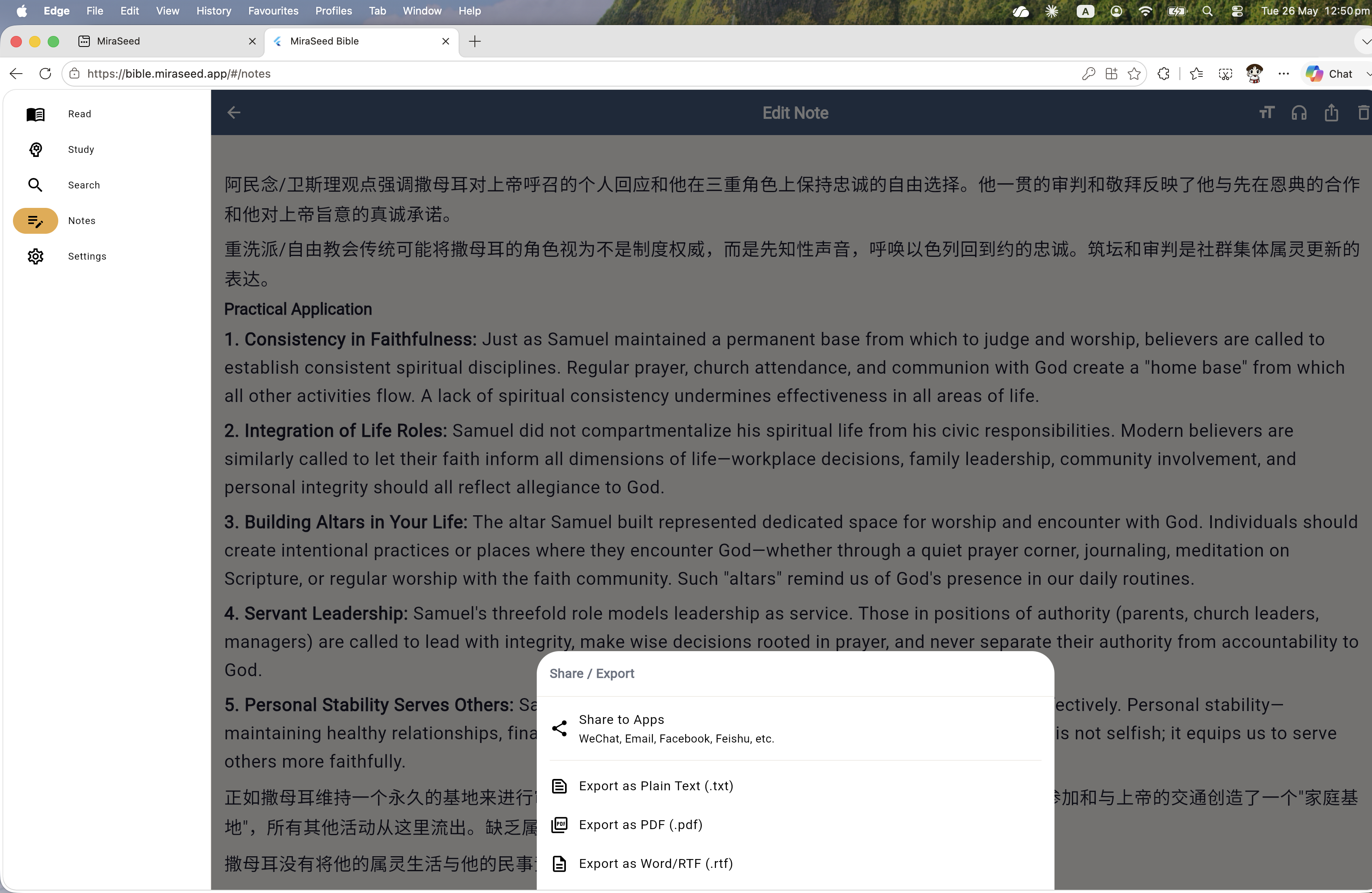
Export
PDF and Word, ready to share.
Export your notes and AI commentary as a clean PDF or editable Word document.
Walkthrough
Eight steps to deep Bible study.
Try along — open bible.miraseed.app in another tab.
Step 0
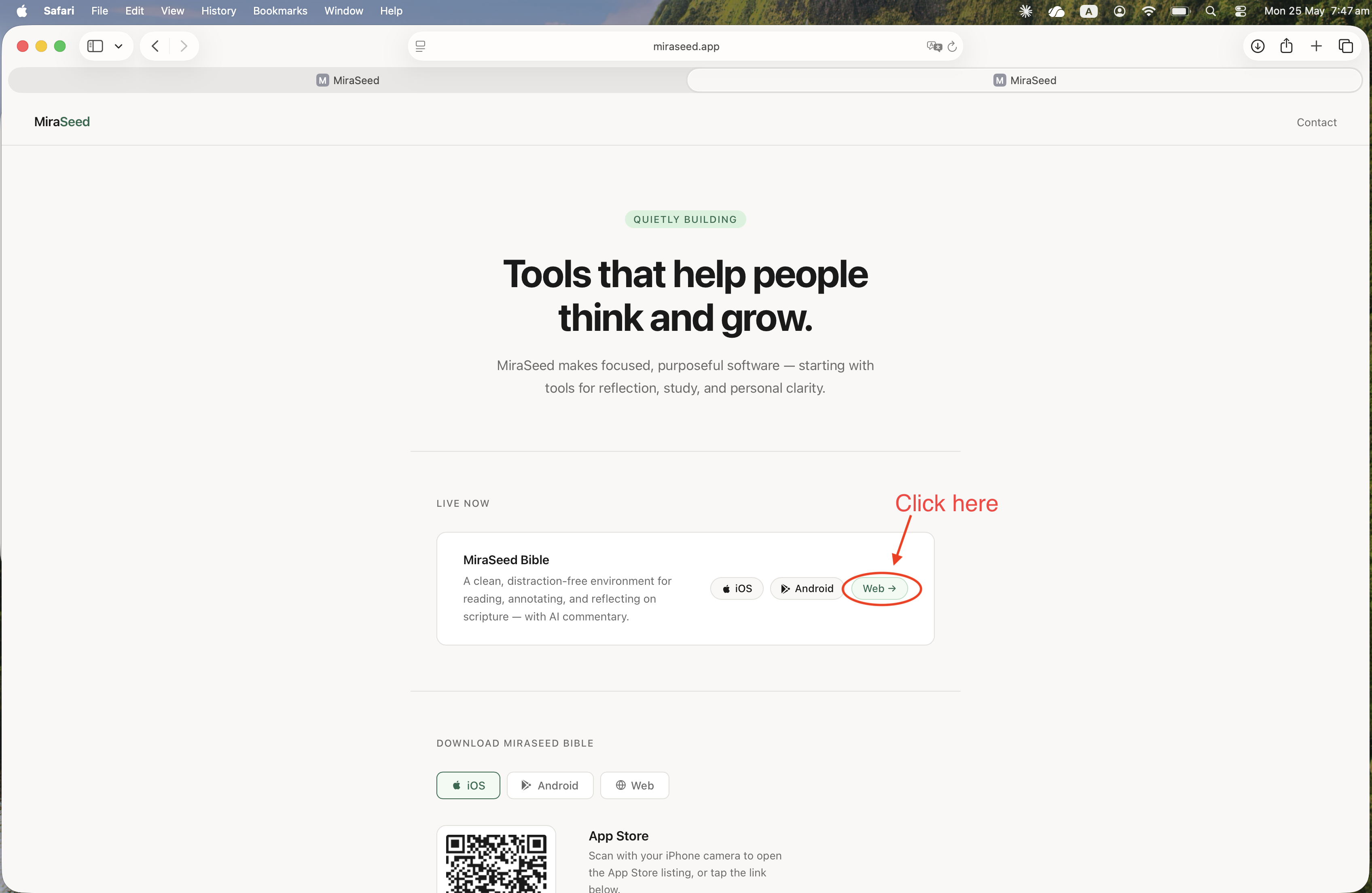
Open the web app.
From miraseed.app, find MiraSeed Bible. Tap Web. The app opens — no installation.
Step 1
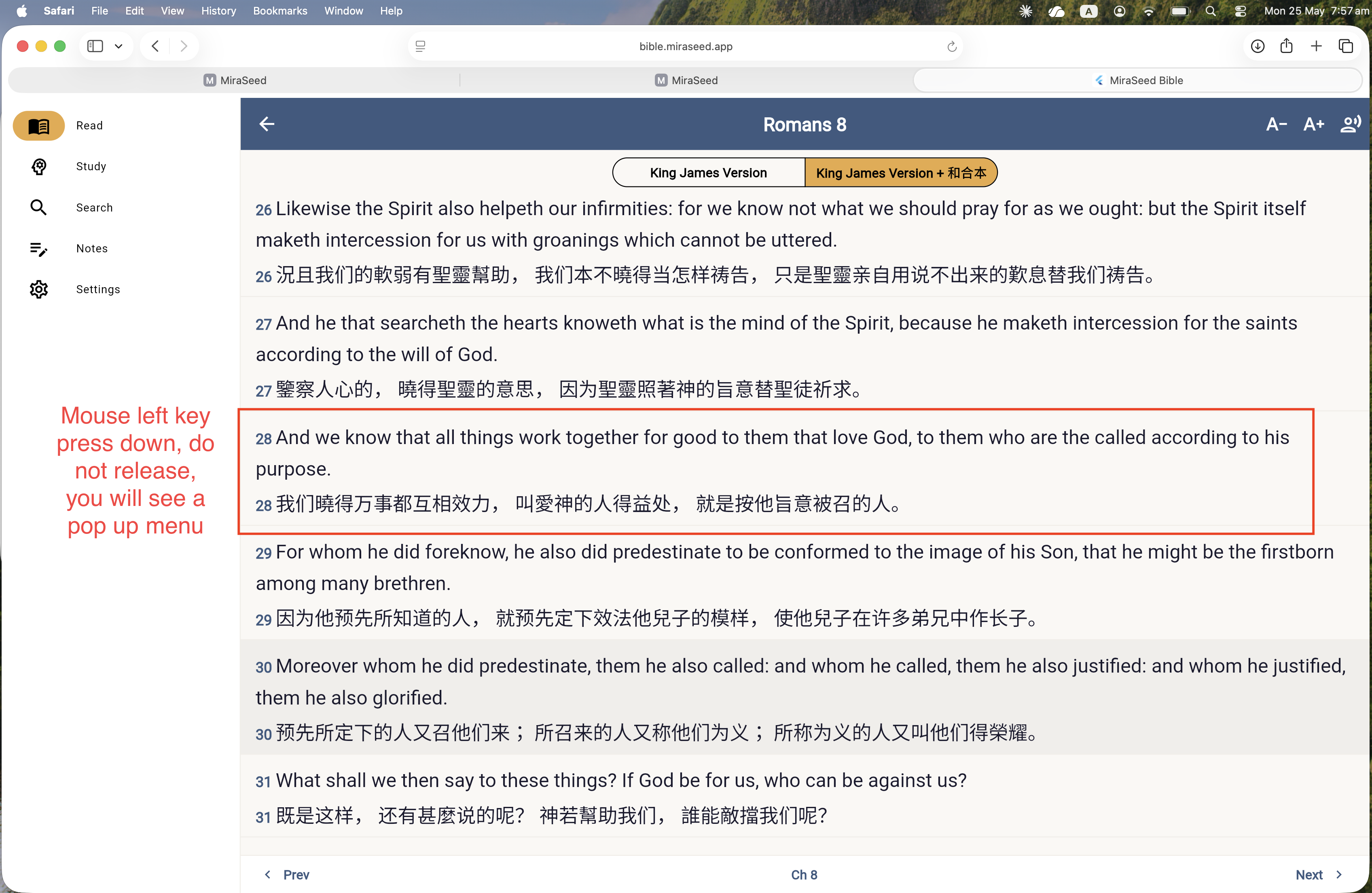
Choose a verse.
Open any chapter. English and your second language sit side by side. Press and hold a verse to select it.
Step 2
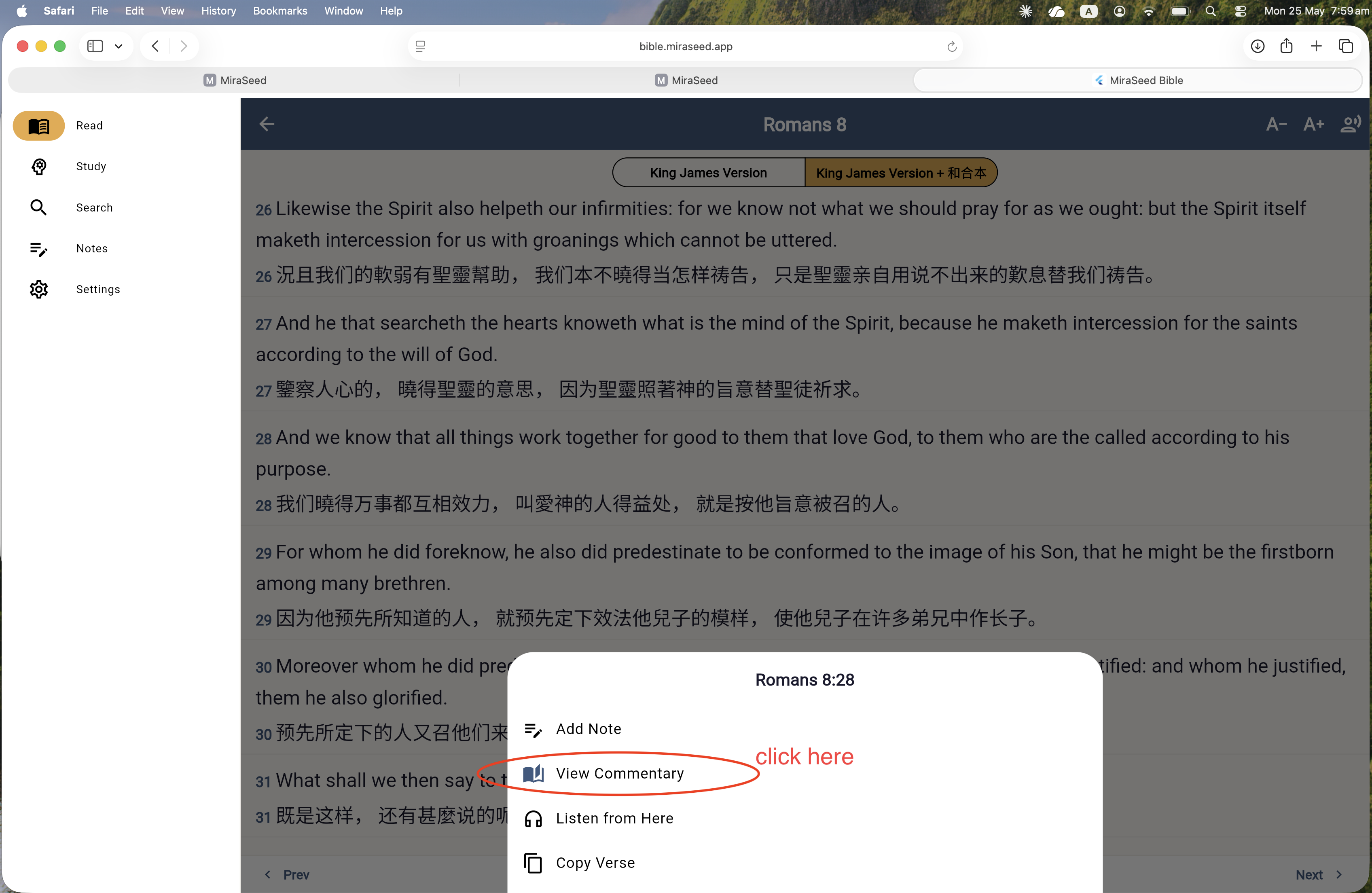
View Commentary.
A small menu appears. Tap View Commentary. The AI generates a full theological reading.
Step 3
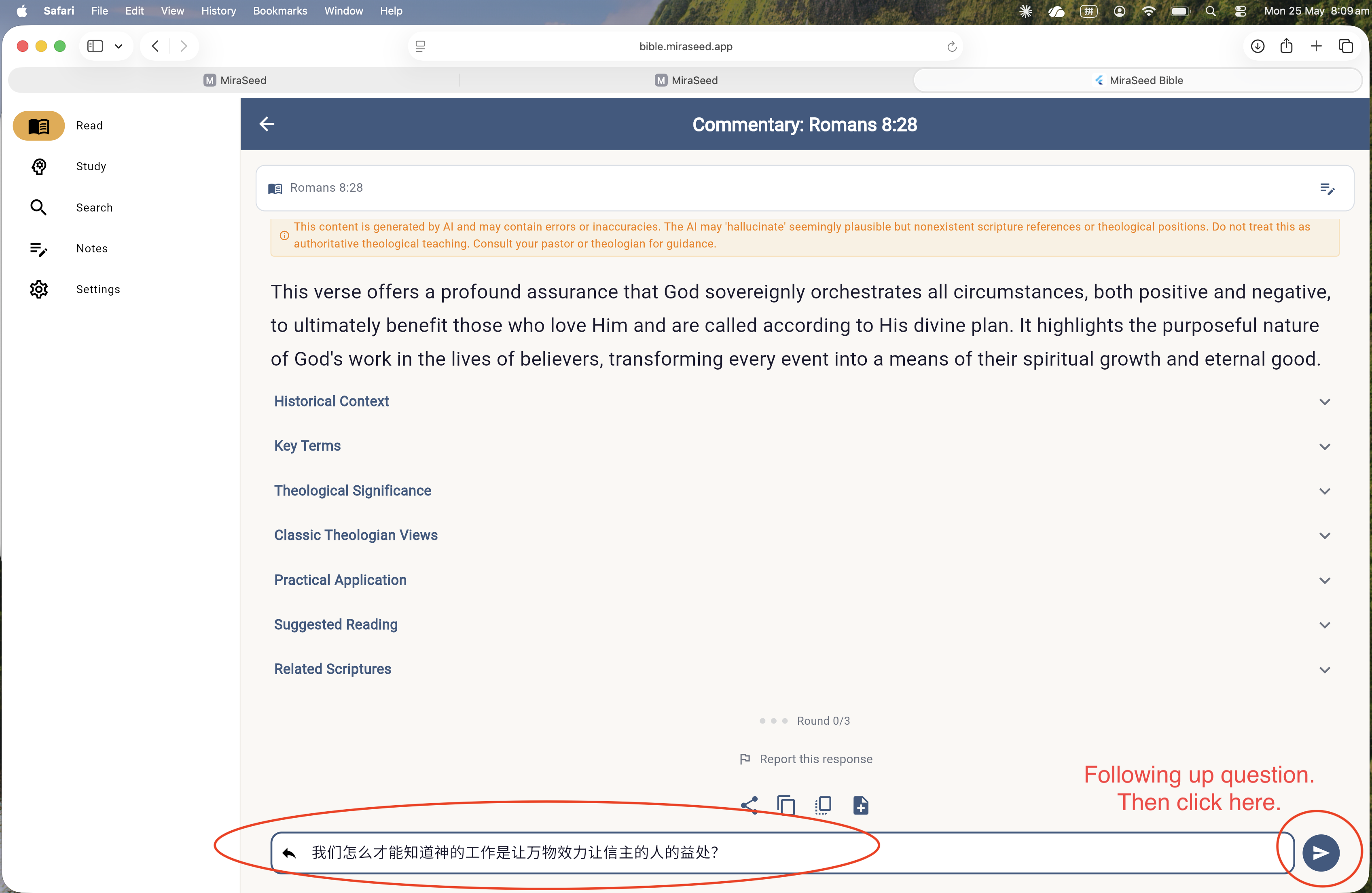
Follow up.
Type your question at the bottom. Send. The AI replies in plain language. Up to three follow-ups per verse.
Step 4
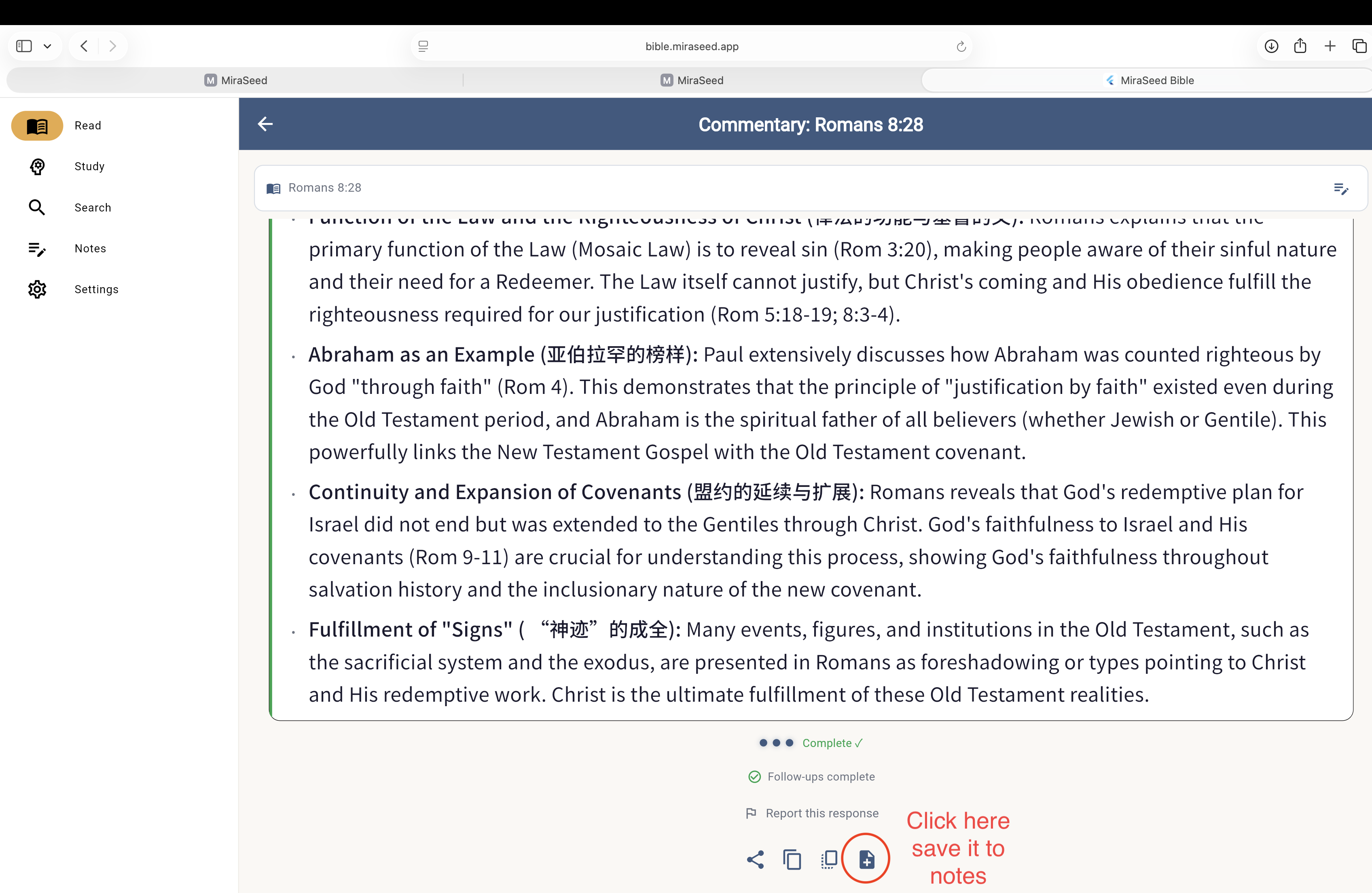
Save the note.
When “Follow-ups complete” appears, tap the + icon. The verse, the commentary, and your Q&A are saved together.
Step 5
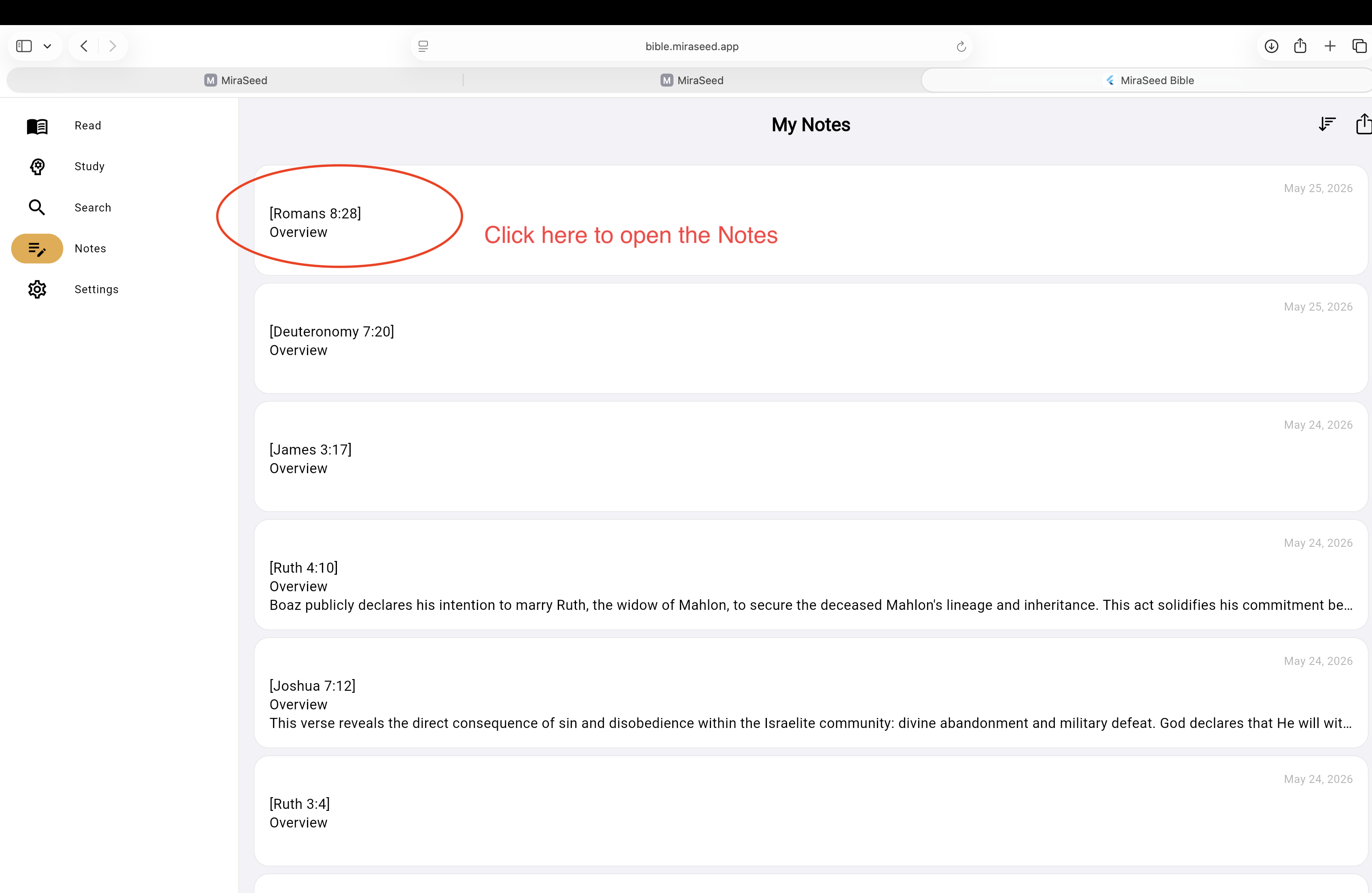
Open Notes.
Tap Notes in the sidebar. Every saved verse appears — automatically organized, newest first.
Step 6
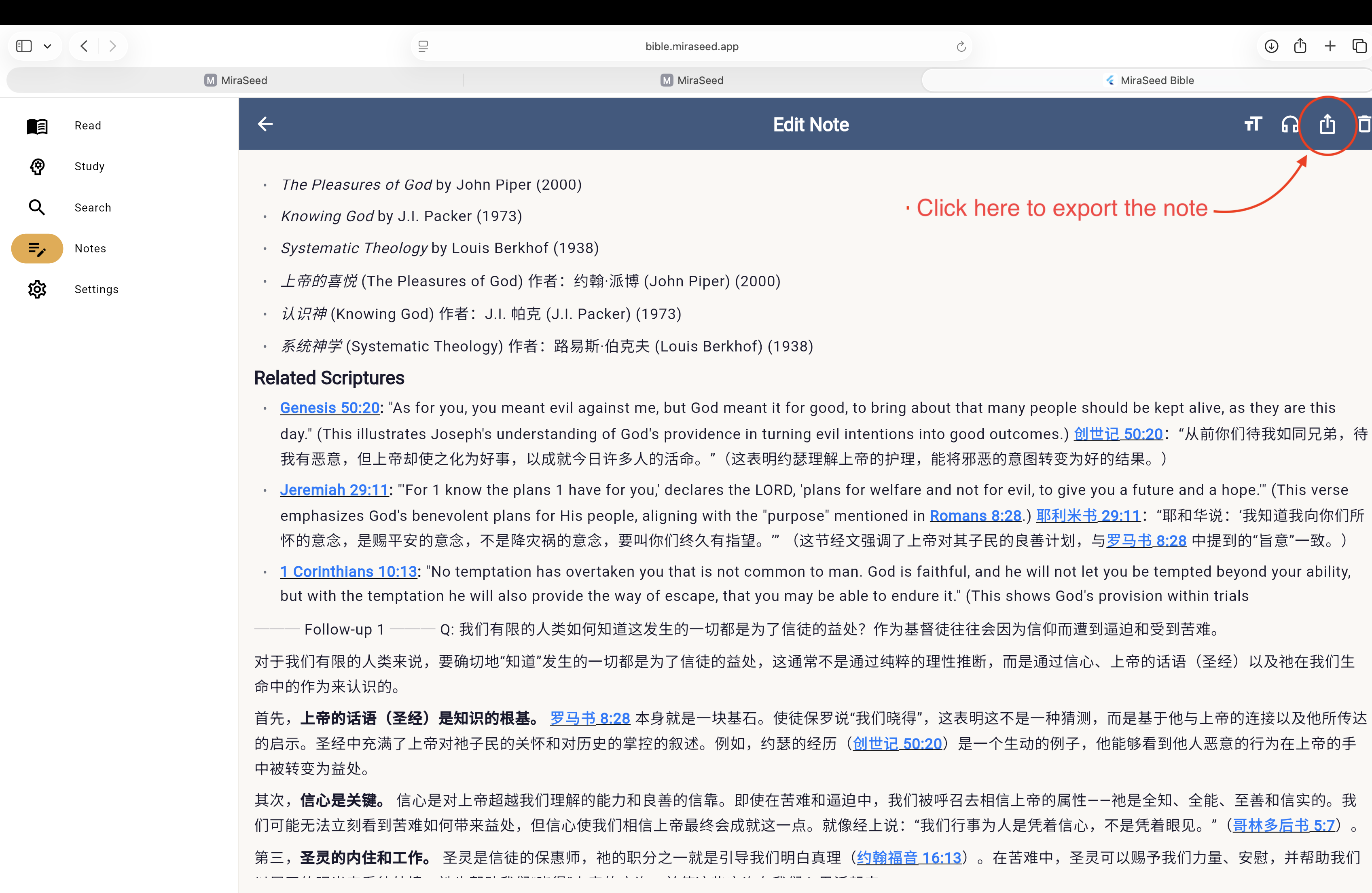
Read the full note.
Open the note. Nine sections unfold — overview, Greek terms, four traditions, application. Top-right: Share/Export.
Step 7
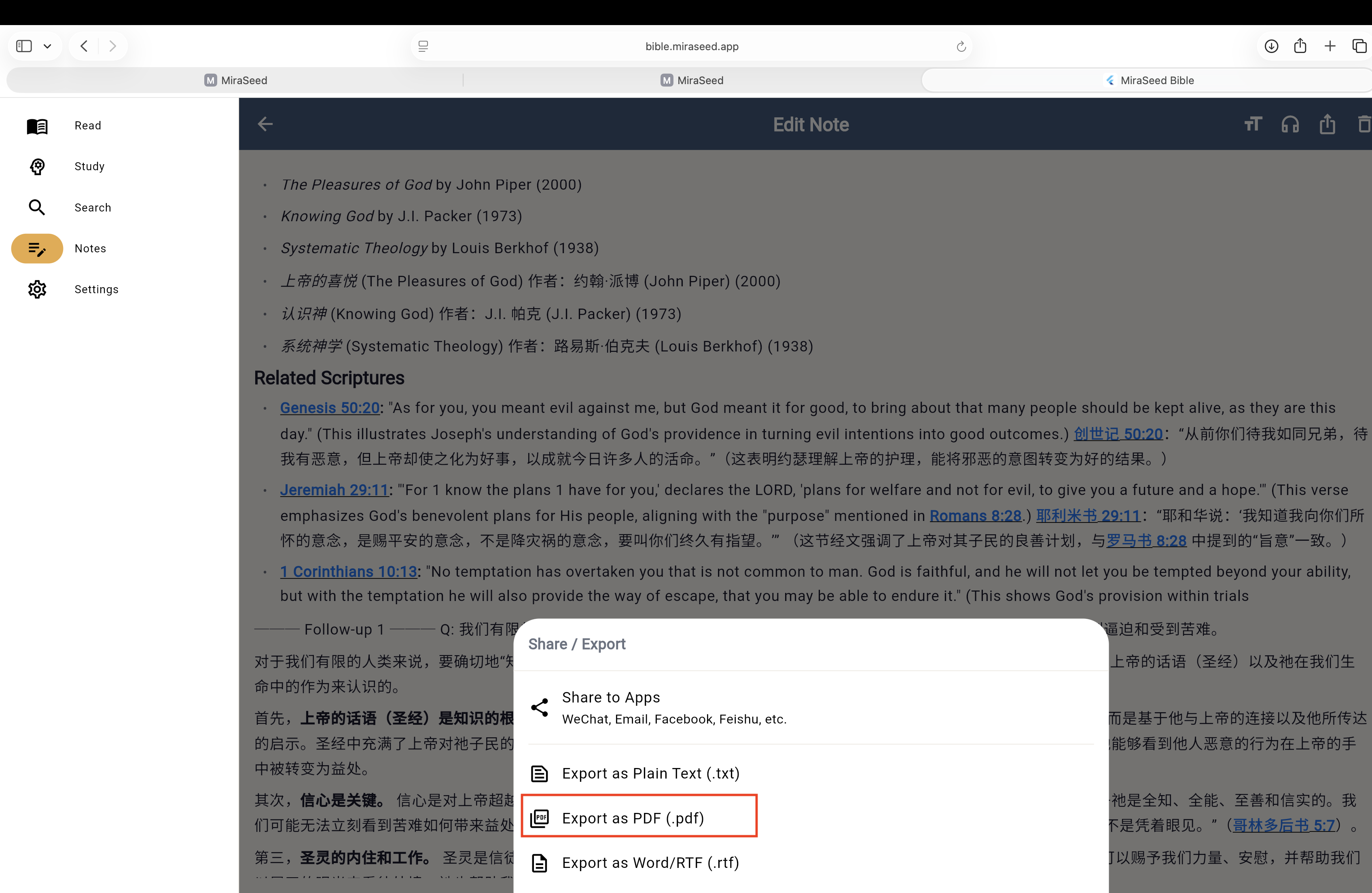
Export as PDF.
Pick PDF. The file lands in your Downloads — print it, share it, bring it to Sunday.
From five tools to one
Bible study used to need five apps.
Before
- Bible app
- Lexicon (Greek/Hebrew)
- Commentary set
- Notes app
- PDF / Word for export
With MiraSeed
- MiraSeed Bible — all five, one place.
What makes MiraSeed different
Built for serious study.
-
9-fold theological structure
Every commentary unfolds in nine sections — overview, historical context, Greek terms, four traditions, classic theologians, application, suggested reading, cross-references.
-
Conversational language control
Switch the output language with a sentence. “Please answer in Chinese,” or “Can you explain that in English?” The AI follows.
-
Multi-version cross-reference
KJV, NIV, CUV, 和合本, NVI, RVR1960. Pick your translations once. Read them side by side, every chapter.
-
Greek original analysis
Tap a key term to see its Greek root, transliteration, and semantic range. No separate lexicon required.
What's different
Three things you won't find elsewhere.
-
Greek originals, inline.
Key Greek terms appear next to your verses — no separate lexicon tab.
-
Four theological traditions, side by side.
Reformed, Catholic, Orthodox, and Anabaptist views on the same passage.
-
Nine-section structured notes.
Every AI commentary saves as a structured note — Overview, Context, Key Terms, Theology, History, Application, Reading, Related Scripture, Follow-ups.
Platforms
Web or mobile? Pick what fits.
MiraSeed Bible runs on Web, iOS, and Android. Each has strengths.
Web advantages
- Faster typing for follow-ups.
- Side-by-side with other tools.
- Print and export workflows.
Mobile advantages
- Capture printed scripture with the camera.
- Read on the go.
- Touch-friendly reading.
Use mobile in church. Use web for deep study at your desk.
Honest limitation
Scan needs your phone.
The Scan feature reads printed scripture from photos. On mobile, point your camera and shoot. On web, you upload a saved image.
Wherever you study
iOS, Android, and the web.
One account. Three platforms. Your library, notes, and history follow you.
What MiraSeed isn't
A tool, not a teacher.
MiraSeed does not replace your seminary, your pastor, or your church.